Available in the iPacky Dashboard→Reports for users with the role of Supervisor or higher.
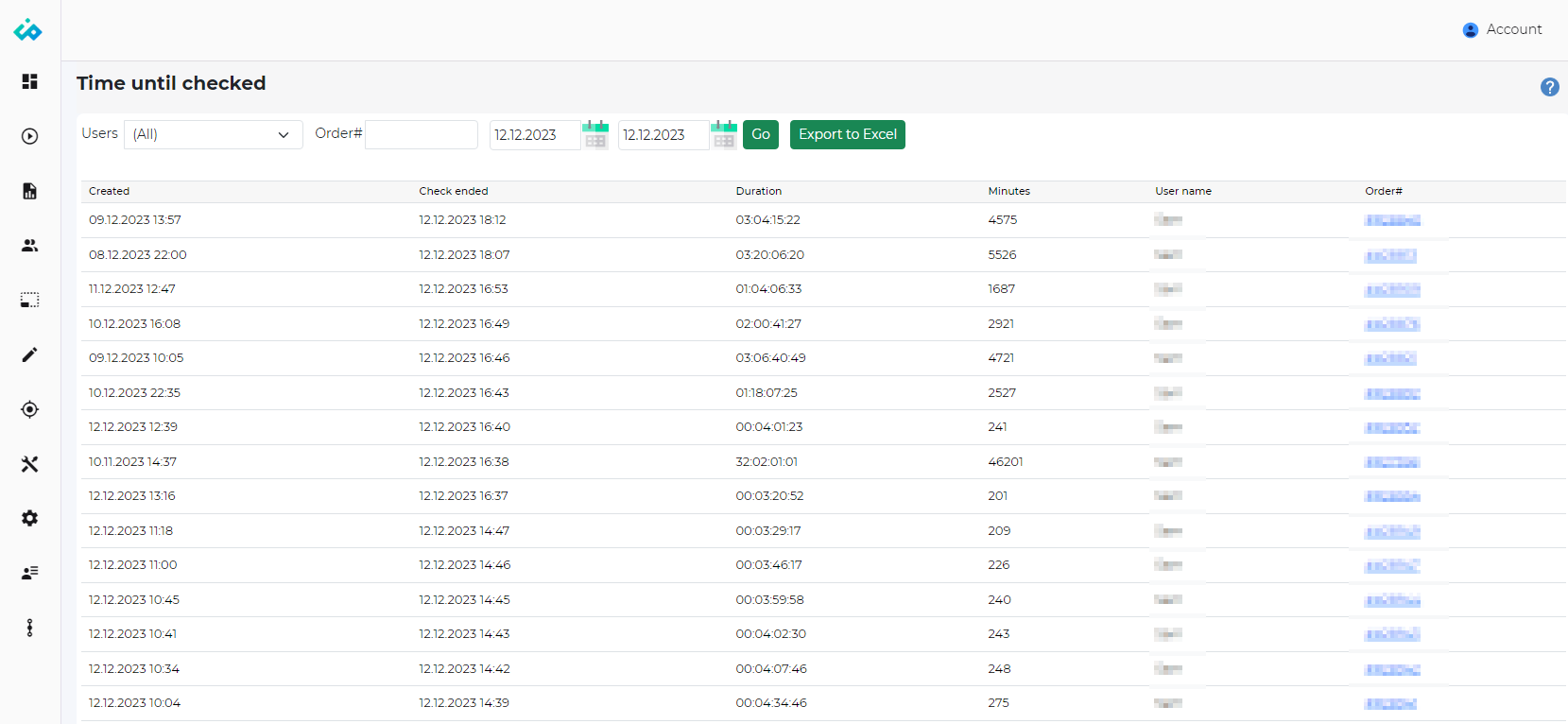
This report will show the amount of time taken from the order was created, until the order check was completed in iPacky.
The report can be filtered to show:
- Users – All or individual packers from the list. Only available in the Dashboard version.
- Order # – Search for specific orders. All other filters will be ignored. Simply press enter or Go after entering order# to run the report.
- Period – Start and end date for the order check. You can either click on the calendar icon to pick a date, or write in the date directly.
Below you can see the example.
|
Column |
Description |
|---|---|
|
Created |
When the order was created. |
|
Check ended |
When the order check was completed. |
|
Duration |
How long from the order was created until it was completely checked in iPacky. Format: days:hours:minutes:seconds |
|
Minutes |
The same as above, but shown in minutes. |
|
Order# |
The order number. Order preview can be opened by clicking on the order. |
You can click on an order to show the order and packing details. It will show exactly what was done to check the order.
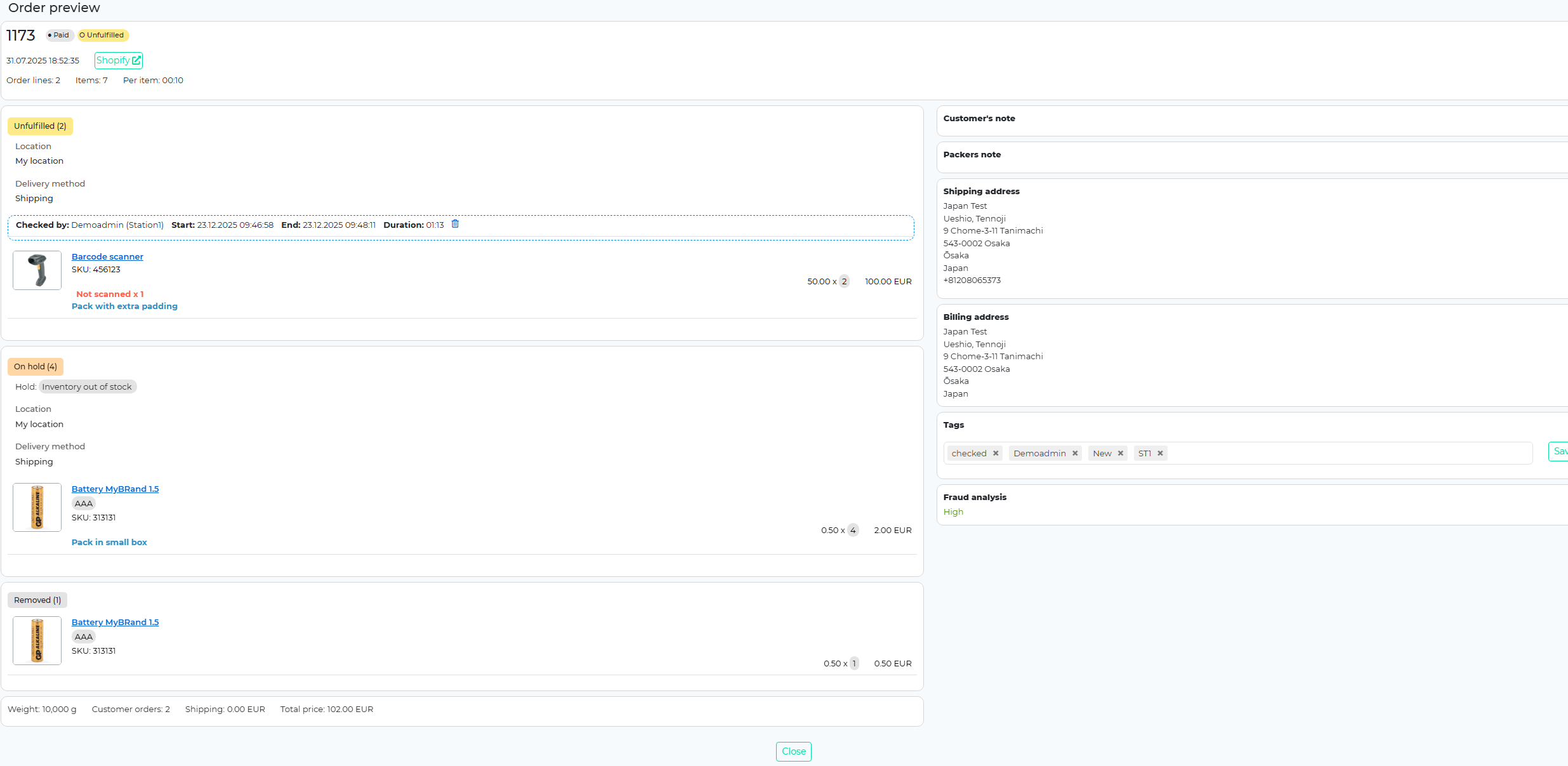
In this screen you can also view and edit the packers note. In addition you can also override the settings for this order on allowing SKU entering, and edit quantity in order check. In case the Settings are set to not allow these, it can be overridden for a single order.